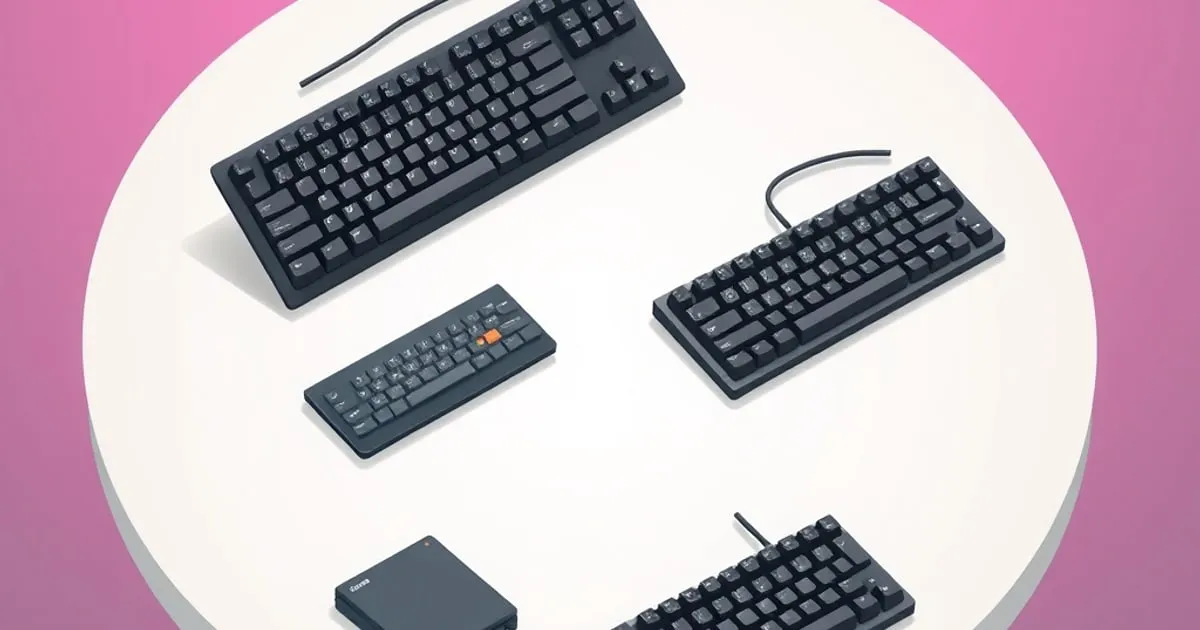
Best Quiet Mechanical Keyboards for Office: 5 Picks
Compare five quiet mechanical keyboards for office use by switch feel, layout, wireless support, customization, price, and larger-key noise.
A mechanical keyboard in a shared office is a social decision as much as a personal one. The board that delights you can quietly irritate everyone within earshot, and a keyboard that gets you side-eye on calls is not a good keyboard no matter how it feels to type on. The goal for an office board is a satisfying typing experience that does not impose itself on the room. This guide explains the criteria that actually achieve that, then applies them to five boards.
The short answer, for readers who just want a name: the Kensington MK7500F QuietType Pro is the best overall office pick, because it pairs damped tactile switches with a full-size layout, three connection modes and dedicated meeting controls. The wired CHERRY KC 200 MX with MX2A Silent Red switches is the value pick. Quiet in this context means low-impact, not the deep “thock” hobbyists chase: silencing gives up some crispness, because the cushioning that quiets a switch arrests both ends of the stem’s travel.
What actually matters for a quiet office board
Silent switches: compare damping before family
Clicky switches add a deliberate audible mechanism. Linear switches have no tactile bump; tactile switches provide feedback without necessarily adding a click. Neither non-clicky family is automatically silent. For an office, inspect the exact switch’s damping design rather than ranking all linears below all tactiles for noise.
CHERRY describes the MX2A Silent Red’s two-part stem damping and factory lubrication. Gateron’s silent-switch documentation likewise describes cushioning at the top and bottom of travel. Damping addresses impacts; lubrication addresses moving contact surfaces. They are different features, and a factory-lube label is not a reason to assume relubing is required.
Quiet switch options for a compatible hot-swap board
| Switch | Published distinction | Buying implication |
|---|---|---|
| CHERRY MX2A Silent Red | Linear; 45 cN operating force, 1.9 mm pre-travel, 3.7 mm total travel | A damped linear option; also sold installed in the CHERRY board below |
| Gateron Ink V2 Black Silent | Manufacturer identifies it as a silent Ink-series switch | Select the silent version, not an ordinary Ink Black |
| Gazzew Boba U4 Silent Tactile | The linked seller lists 62 g, 65 g and 68 g weight options | A tactile alternative; confirm the selected spring and housing variant |
The Boba U4 seller’s weight labels are not directly interchangeable with CHERRY’s operating-force figure. Compare the same force definition before deciding one is lighter. Do not substitute an unsilenced U4T for a U4 on the assumption that similar names mean the same sound treatment.
For loose switches, confirm the board accepts their mechanical footprint and pin arrangement. Optical, magnetic and low-profile sockets need their own compatibility check. Buy a sample if you are unsure about feel, then budget for enough compatible switches to populate the board.
These specifications cannot establish which complete build is quietest. The case, keycaps and stabilized keys remain part of the result. There is no basis here for promising that a tactile bump changes everyone’s typing force or makes all silent tactiles quieter than silent linears.
The board’s acoustics, not just the switch
Two boards with identical switches can sound completely different because of how the case is built. Internal foam, a dampened mounting style, and a case that does not act like a hollow drum all lower and soften the sound. When evaluating an office board, look specifically for reviews that describe the sound as “muted,” “soft,” or “low-pitched” rather than “hollow” or “pingy.” A board’s acoustic design is doing as much work as the switch.
Treat sound-test videos as a rough guide only. Microphone position, gain, the desk material and the typist’s force can make the same board sound completely different from one recording to the next. Quiet is impact control, not a promise of a particular tone.
Stabilizers decide whether it sounds cheap
The single most common office-disrupting noise is not the switches at all — it is a rattly space bar. Long keys with poorly tuned stabilizers produce a sharp, hollow rattle that carries far more than well-damped keystrokes. A board with factory-tuned, non-rattly stabilizers will sound composed; one without will sound cheap no matter how quiet the switches are. This is exactly why we treat stabilizers and keycaps as the upgrades that change a board most, and it is doubly true for quiet use.
The space bar sets the practical noise floor on every board in this guide, because its large cap and stabilizer wire move more plastic than any alpha key. A desk mat helps with case vibration transmitted into the desk; O-rings only cushion bottom-out and often make travel feel gummy. Neither is a fix for a rattling stabilizer.
Keycap material affects pitch
Keycap plastic has a real, if smaller, effect on sound. Thicker keycaps in a denser plastic tend to produce a lower, less plasticky sound than thin, hollow caps. It will not transform a loud board into a silent one, but on an already-quiet board it is a meaningful refinement.
It still has to be a good keyboard
Quiet is necessary but not sufficient. An office board still needs to be comfortable for a full workday, have a sane layout, and offer local remapping if you customize. Most office workers do not need a number pad, so a TKL or 65% layout keeps the desk tidy and the mouse close — see our form factors guide.
Quick decision tree
The five boards below cover the realistic combinations of size, feel and budget. Three questions narrow them to one:
- Choose a size with the form factors guide. Need a number pad? Kensington, CHERRY or Keychron. Want mouse room? The 75%-class Logitech Mini. Happy to use layers instead of dedicated arrows? The 60-key HHKB.
- Choose a switch feel. For a tactile bump, Kensington or HHKB. For quiet linear travel, CHERRY. For either feel with replaceable switches, build the Keychron with Silent K Pro Reds or Browns.
- Set the budget. Around $90: CHERRY. Around $135 after a switch swap: Keychron. Around $160: Kensington or Logitech. $269: HHKB, and only if its layout and Topre feel are the point.
Quiet office keyboard comparison
| Keyboard | Listed price* | Layout | Case / plate | Hot-swap | Wireless | Firmware / remapping |
|---|---|---|---|---|---|---|
| CHERRY KC 200 MX | $90 launch price | 100% | Plastic, anodized metal top plate | No | None | CHERRY KEYS |
| Keychron V6 Max + Silent K Pro | About $135 | 100% | ABS, PC plate; gasket mount | Yes, 3/5-pin MX | 2.4G, Bluetooth, wired | QMK / VIA |
| Logitech MX Mechanical Mini | $160 | 75%-class | Plastic, aluminum top case | No | Logi Bolt, Bluetooth | Logi Options+ |
| Kensington MK7500F | $160 sale price | 100% | ABS, aluminum frame | No | 2.4G, Bluetooth, wired | Kensington Konnect |
| HHKB Classic Type-S | $269 | 60-key HHKB | Plastic, integrated Topre assembly | No | None; USB-C wired | HHKB Keymap Tool |
*Prices are the figures on the linked source pages at the time of writing and move with sales. The Keychron figure combines the $109.99 assembled board and a $24.99 pack of 110 Silent K Pro switches.
The five picks, with honest sound notes
1. Kensington MK7500F QuietType Pro: best overall
The Kensington is unusually office-specific. Its listing specifies fixed Kailh Midnight Pro Silent Tactile switches rated at 45 g with 3.7 mm of travel, plus internal pads to reduce case noise. The ABS chassis carries an aluminum frame, a white backlight, an included wrist rest and dedicated call controls, and it connects over USB, 2.4 GHz or Bluetooth. Kensington does not publish a polling rate.
Its specified switch damping and internal pads are the reasons it qualifies for this shortlist; they do not establish a measured noise ranking against the other boards. Buy it for ready-made quiet tactility without opening a case or pulling a hundred switches.
2. CHERRY KC 200 MX Silent Red: best under $100
Buy the Silent Red variant, not the Brown. CHERRY specifies a 45 cN linear switch with 1.9 mm pre-travel, 3.7 mm total travel, patented two-part stem damping and factory-applied lubricant. The board itself is a slim, wired full-size model with an anodized metal top plate, fixed switches, ABS caps, four extra function keys and a stated 1 ms response time; the launch announcement priced it at $90.
Silent Reds land and return on a pad, so they feel slightly rubbery beside an undamped linear, and that is exactly the trade a shared office wants. Expect a restrained clack from the alphas and a lower note from the stabilized modifiers. Fixed switches and Windows-focused CHERRY KEYS software are the compromises.
3. Logitech MX Mechanical Mini: best low-profile wireless pick
Choose Logitech’s Tactile Quiet switch option. The Mini keeps arrow keys and a function row, pairs with three devices, and connects over Bluetooth or the Logi Bolt receiver. An aluminum top case stiffens the plastic board, and Logi Options+ handles app-specific assignments.
Tactile Quiet is Logitech’s quieter low-profile option, not the heavily damped travel of an MX Silent Red. The specifications here do not establish how its complete-board noise compares with Kensington or CHERRY. It wins when laptop-like height and multi-device switching matter most. This is an appliance, not a modding platform.
4. Keychron V6 Max with silent switches: best customizable choice
The stock Gateron Jupiter switches are not silent. Swap them for Silent K Pro Red or Brown and the V6 Max becomes the strongest hobbyist office build here. Keychron’s product page lists a plastic gasket-mount case, a polycarbonate plate, case foam, screw-in stabilizers, a 5-pin hot-swap PCB, 2.4 GHz and Bluetooth radios, PBT keycaps and QMK/VIA support, an unusually complete list at this price. Polling is 1,000 Hz over cable and 2.4 GHz, and 90 Hz over Bluetooth.
The plate, mounting and chosen silent switch are separate construction choices; no complete-board sound measurement is available here. Keychron describes the switches as factory pre-lubed, which means production lubrication rather than a hand-tuned job. Fit livelier switches such as HMX Violets or Boba U4Ts and the board becomes more poppy, and stops belonging on a quiet-office shortlist.
5. HHKB Professional Classic Type-S: best for Topre devotees
This is electrostatic-capacitive Topre, not an MX mechanical switch. PFU’s announcement specifies 45 g domes, 3.8 mm of travel, silencing buffers, dye-sublimated PBT keycaps, a plastic case and a USB-C connection, and says the Type-S mechanism cuts keystroke noise by 30% against the regular model while storing custom keymaps on the keyboard itself.
Topre’s feel is generally described as rounded rather than sharp: the dome collapses, the buffer cushions the bottom, and the return is controlled. Expect a muted pop from the alphas and an obvious low note from the space bar. The $269 price only makes sense if you want Topre and the HHKB layout; there are no dedicated arrows, no number pad, no function row, no wireless, no hot-swap and no QMK or VIA.
Common mistakes when buying a quiet office board
A few errors account for most of the boards that end up annoying a workspace:
- Assuming “silent” switches make any board quiet. Silent switches dampen the switch itself, but a hollow case and rattly stabilizers will still carry across a room. The whole board has to be quiet, not just the switch.
- Picking tactile because it is “quieter than clicky.” Some tactile switches are loud and clacky despite having no click mechanism, and a “brown” switch still has a normal bottom-out and top-out unless its stem is damped. “Not clicky” is not the same as “quiet” — judge the specific switch, not the family label.
- Buying clicky for home and assuming it is fine. A clicky board near a partner on calls, a roommate, or a sleeping household is a recurring source of friction. Clicky is a private-room indulgence, not a default.
- Ignoring the space bar. The single noise most likely to draw attention is a rattly space bar, not the alpha keys. A board with poor stock stabilizers sounds cheap and disruptive no matter how quiet the switches are.
- Buying a fixed-switch board and expecting to change it later. The Logitech, Kensington, CHERRY and HHKB all have fixed switches. If replacing one failed switch or changing spring weight matters to you, only the hot-swap Keychron qualifies.
- Forgetting the IT department. Logitech, Kensington and CHERRY rely on vendor software, and Keychron on VIA or QMK; Bluetooth receivers and browser-based configurators may all be restricted on managed machines. Check the policy before buying, and see Tech Sentinel for the endpoint-control context behind those rules.
- Forgetting it still has to be a good keyboard. A quiet board that is uncomfortable for eight hours or has an awkward layout is a bad office board. Quiet is a requirement layered on top of the fundamentals, not a replacement for them.
Avoiding these comes down to evaluating the whole board acoustically and against the room, rather than trusting a single reassuring word on the box.
Size is the other half of an office decision. Use the keyboard form factors guide for the full size range, the 65% vs 75% keyboard layout comparison for compact choices, or the keyboard picker quiz to weight your preferences together.
Related on this site
Sources
- Kensington MK7500F QuietType Pro listing
- Logitech MX Mechanical product page
- CHERRY KC 200 MX product page
- CHERRY MX2A Silent Red switch page
- CHERRY KC 200 MX launch announcement
- Keychron V6 Max product page
- Keychron Silent K Pro switch page
- HHKB Professional Classic Type-S announcement
- Gateron silent switch damping
- Gateron Ink V2 Black Silent specifications
- Gazzew Boba U4 Silent Tactile seller specifications
Related

Best Mechanical Keyboards for Gaming: What Matters
This guide separates useful gaming keyboard features from marketing, covering switch consistency, connections, rollover, layout, and build quality.

Best Mechanical Keyboards for Programmers: How to Choose
What actually matters in a programming keyboard, from layout and switch feel to modifier reach and software, plus the criteria behind each pick here.

Best Mechanical Keyboards for Writers and Long-Form Typing
What a writing keyboard needs that a gaming one doesn't: comfort over hours, sound, key feel and layout, plus the criteria behind each recommendation.